



How to replace the Xenon headlights of an Audi A4 B9 with the factory Full LED units: parts, BCM1 swap, wiring, Component Protection removal and parametrization
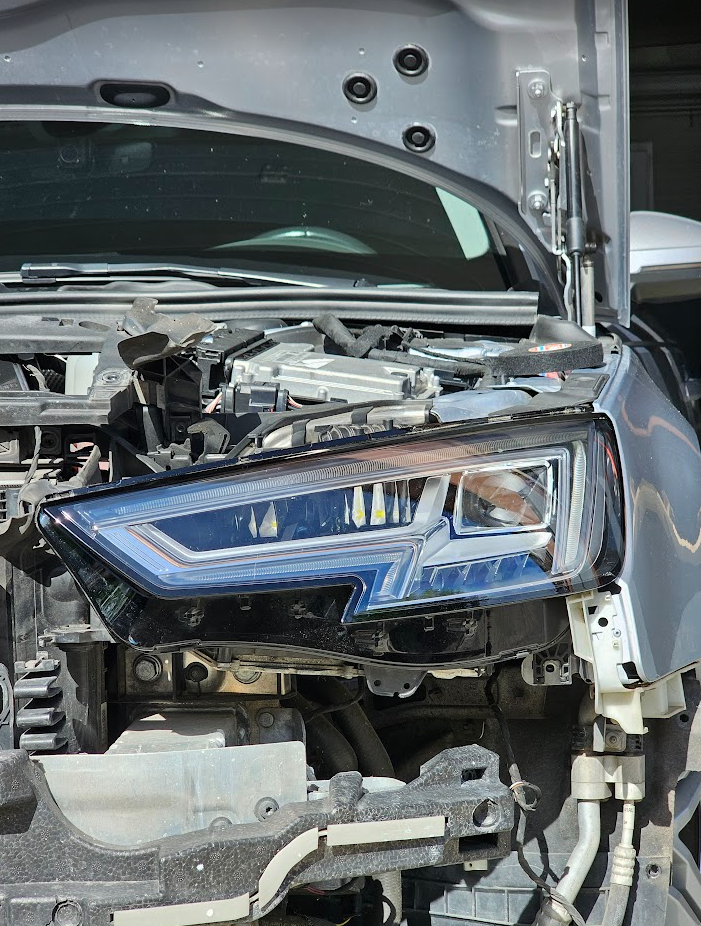
This guide describes how to retrofit the original Full LED headlights on an Audi A4 B9 that left the factory with Xenon headlights. Swapping the headlights alone is not enough: the Full LED units are driven over CAN bus by their own control modules, so the retrofit also requires a Highline BCM1 (central electrics module, address 09), an adapter wiring harness, Component Protection removal with ODIS and the upload of the correct dataset for the new BCM1.
✅ Status: working
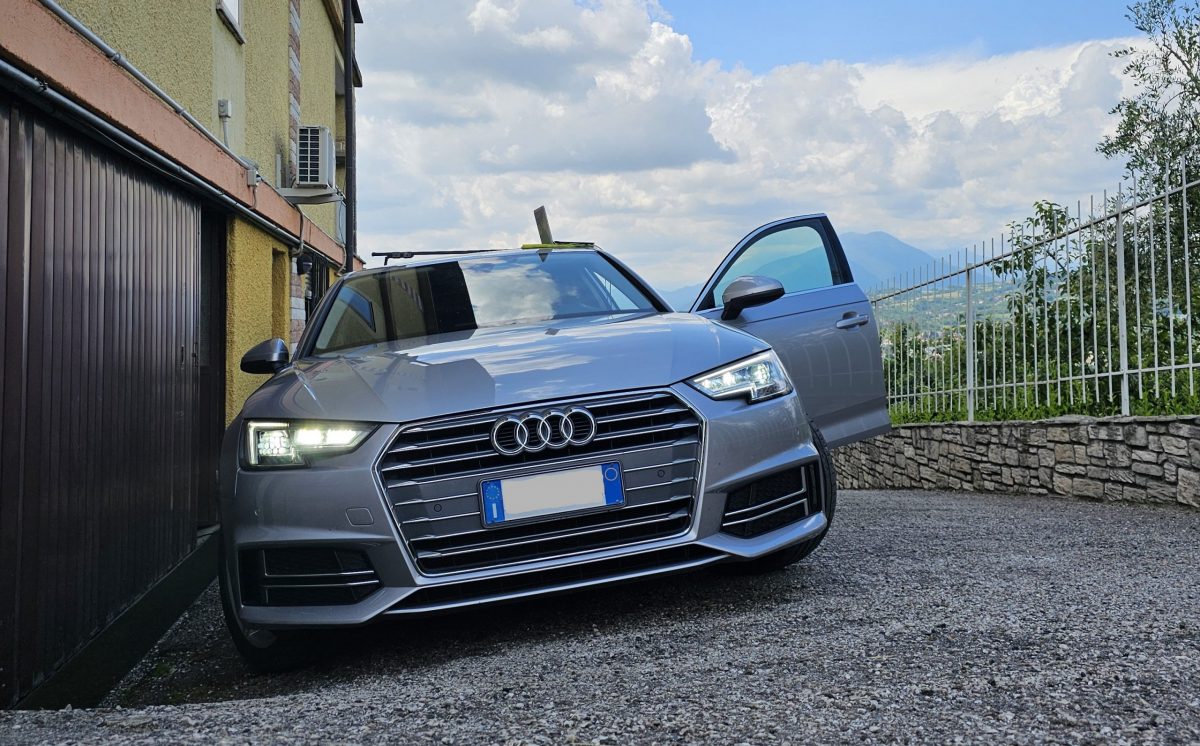
This retrofit has been successfully installed and tested on my Audi A4 B9, and it is still active.
Contents
1. Needed parts and price
| Part | Part number / notes |
|---|---|
| Highline BCM1 (central electrics, 09) | 8W0 907 063 CG |
| Full LED headlights | 7PP 941 572 AB |
| Headlight control modules | 4M0 907 397 AC |
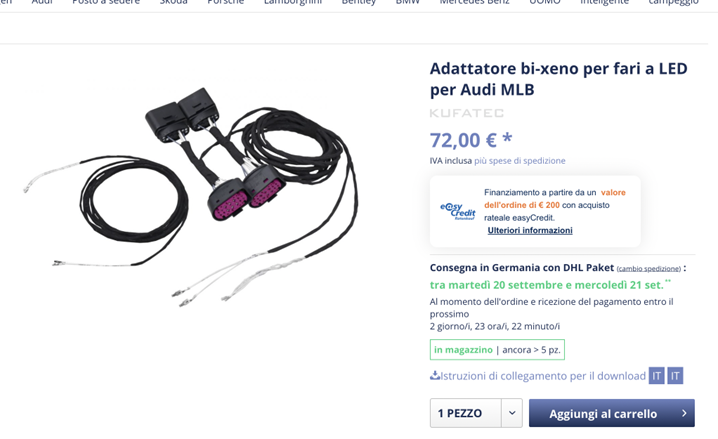
| Adapter wiring harness | Kufatec Bi-Xenon to LED headlight adapter for Audi MLB (or self-made cables and connectors) |
The total cost of the parts listed above was about 1000 €.
2. Before you begin
- buy the Kufatec wiring harness or build the cables and connectors yourself;
- back up all coding and adaptations of your current BCM1 (VCP or VCDS): you will restore them on the new module at the end (section 3.6);
- you need ODIS with a VAS5054 / VAS6054 interface and a GEKO login to remove Component Protection (section 3.4);
- you need the dataset for the new Highline BCM1 with a configuration that matches your car's options.
⚠️ The BCM1 dataset is not on the VCP servers
The dataset for the Highline BCM1 is not available on the VCP servers. I had to buy it and upload it with ODIS. Make sure you can get a dataset that matches your configuration before buying the parts.
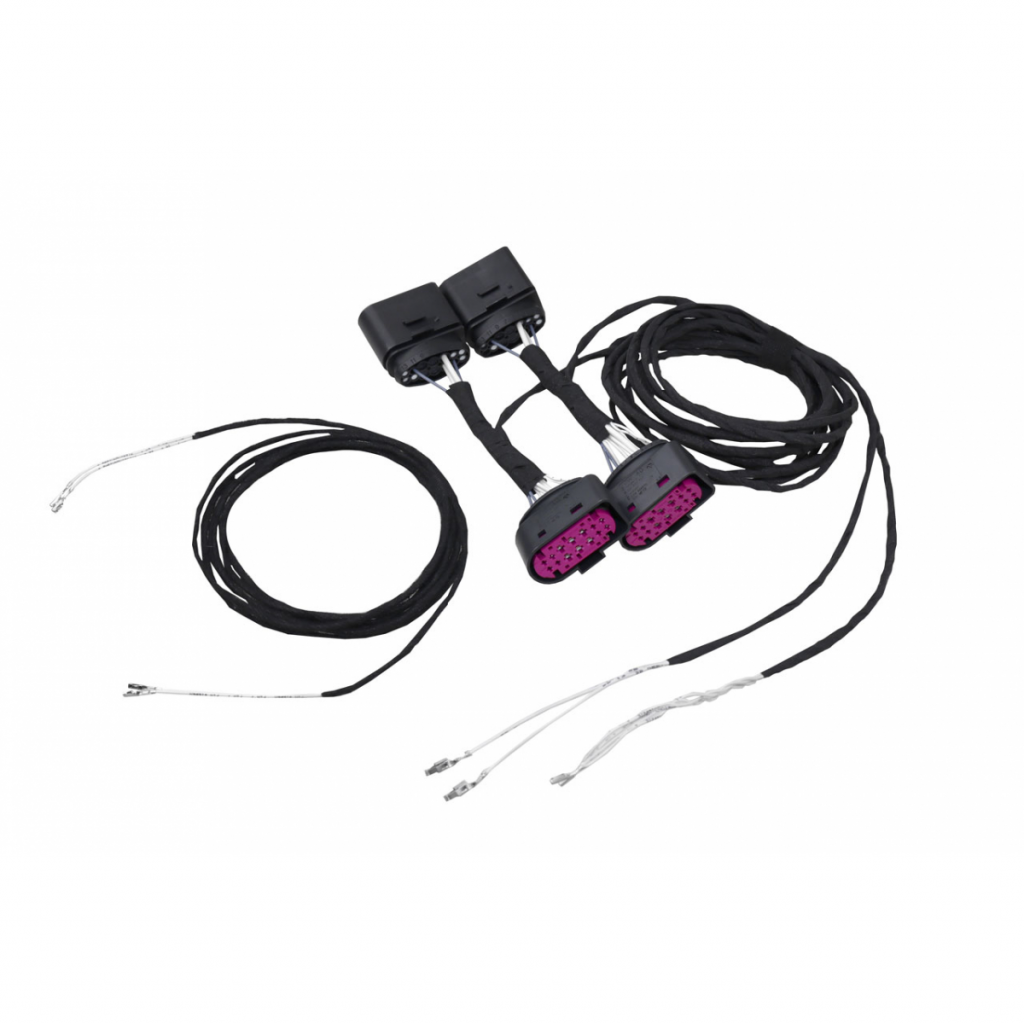
This is the Kufatec adapter harness used for the retrofit:
3. Procedure
The retrofit is made of five steps:
- remove the front bumper;
- fit the new Highline BCM1 and lay the wiring harness;
- remove Component Protection;
- parametrize BCM1 (09) and the headlight modules D6, D7, 29, 39;
- restore the original coding of the BCM1.
3.1 Remove the front bumper
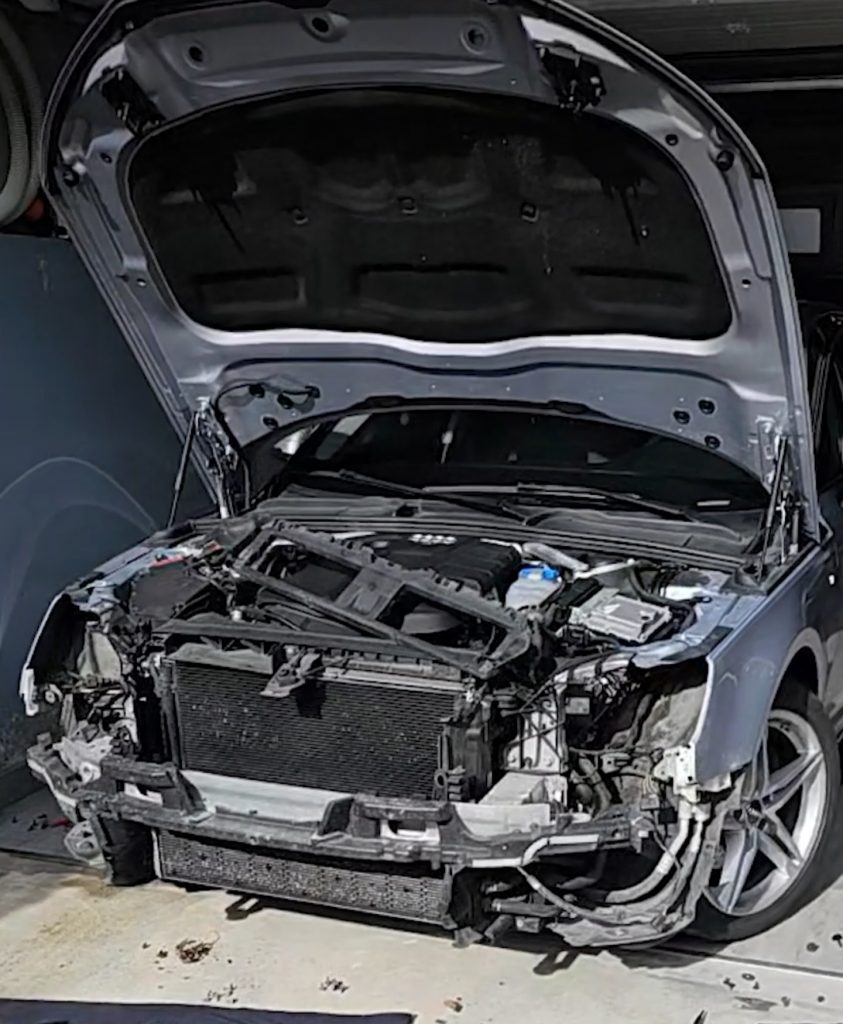
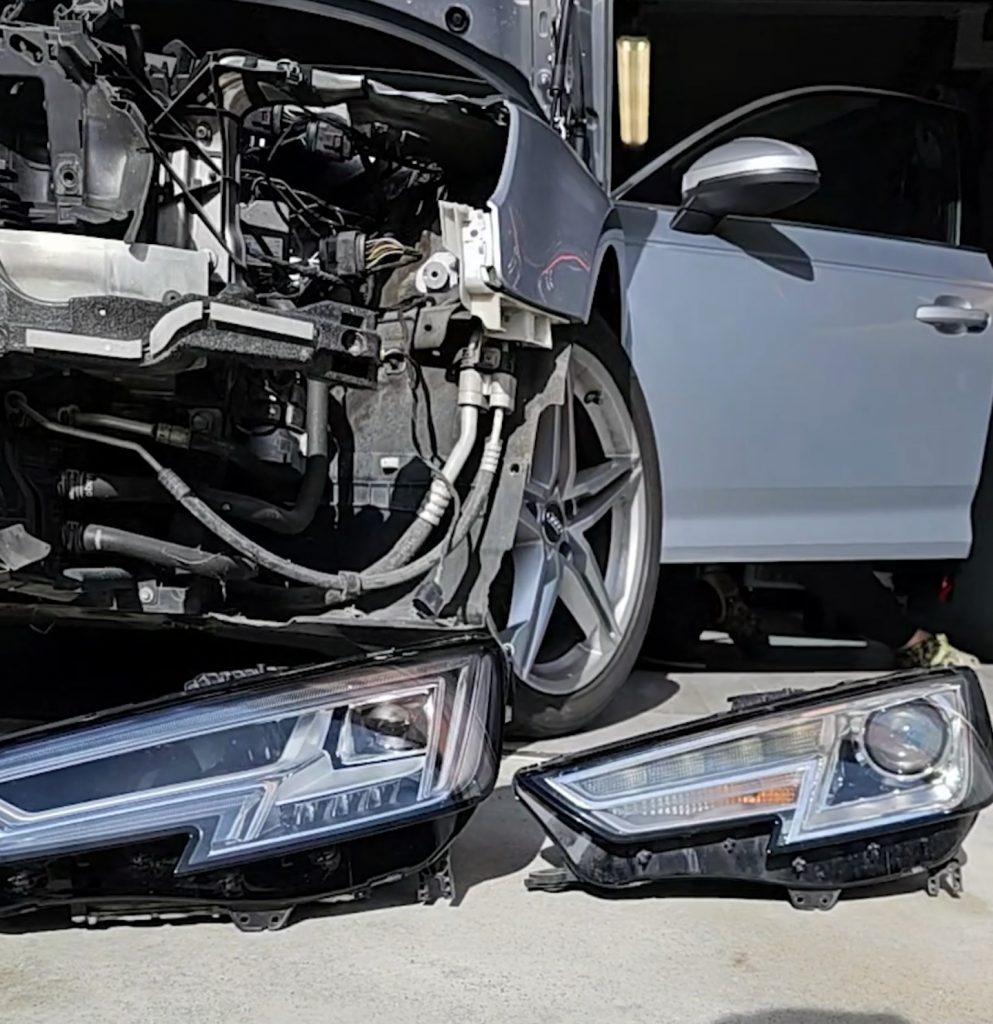
The headlights can only be removed with the front bumper off.
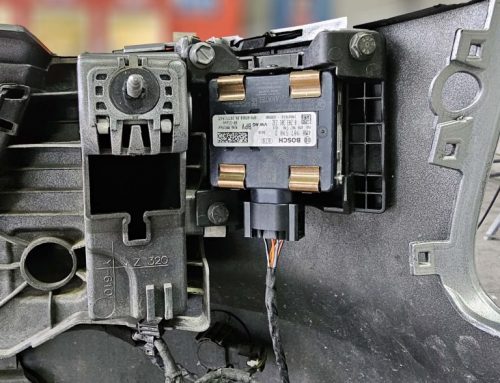
3.2 Fit the new Highline BCM1
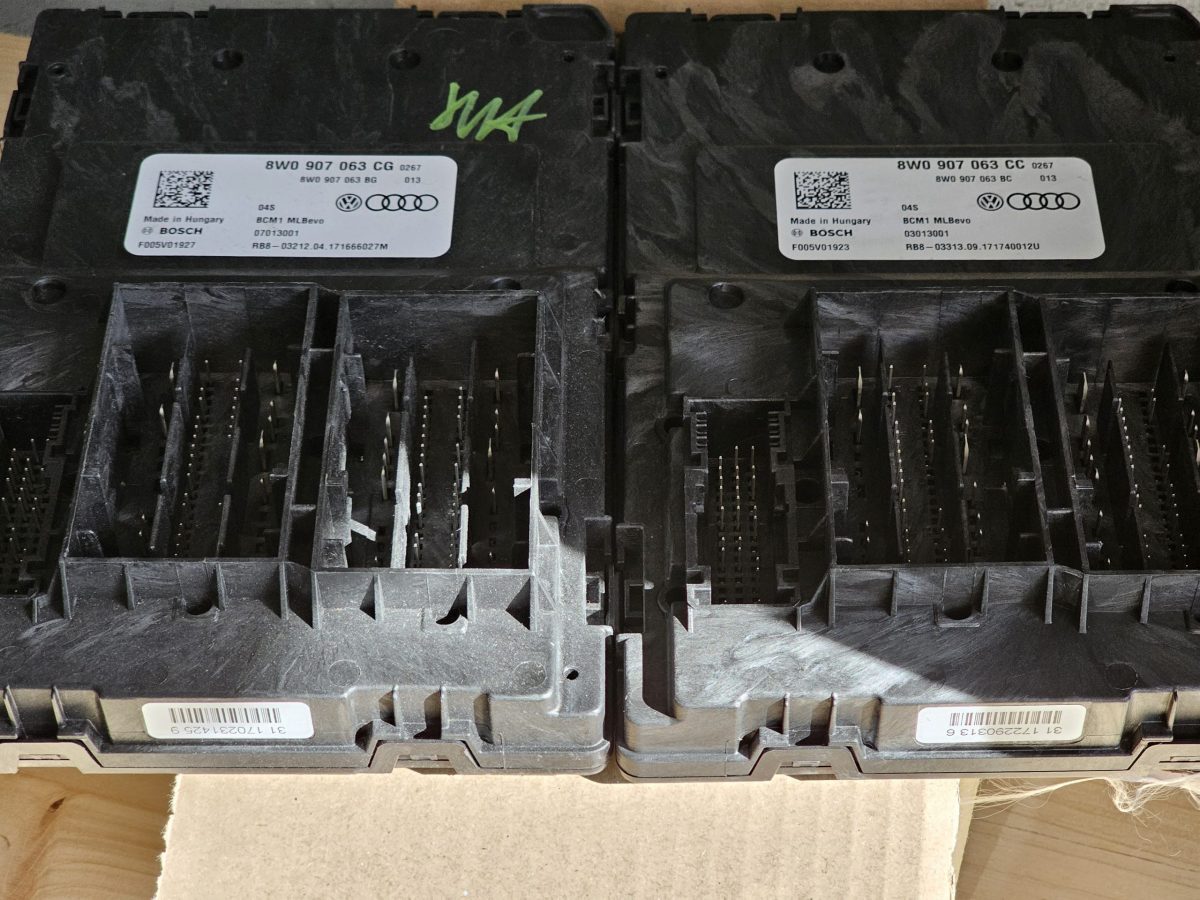
The Xenon BCM1 must be replaced with the Highline version, which supports the Full LED headlights:
| BCM1 | Part number |
|---|---|
| Original (Xenon) | 8W0 907 063 CC |
| New (Highline) | 8W0 907 063 CG |
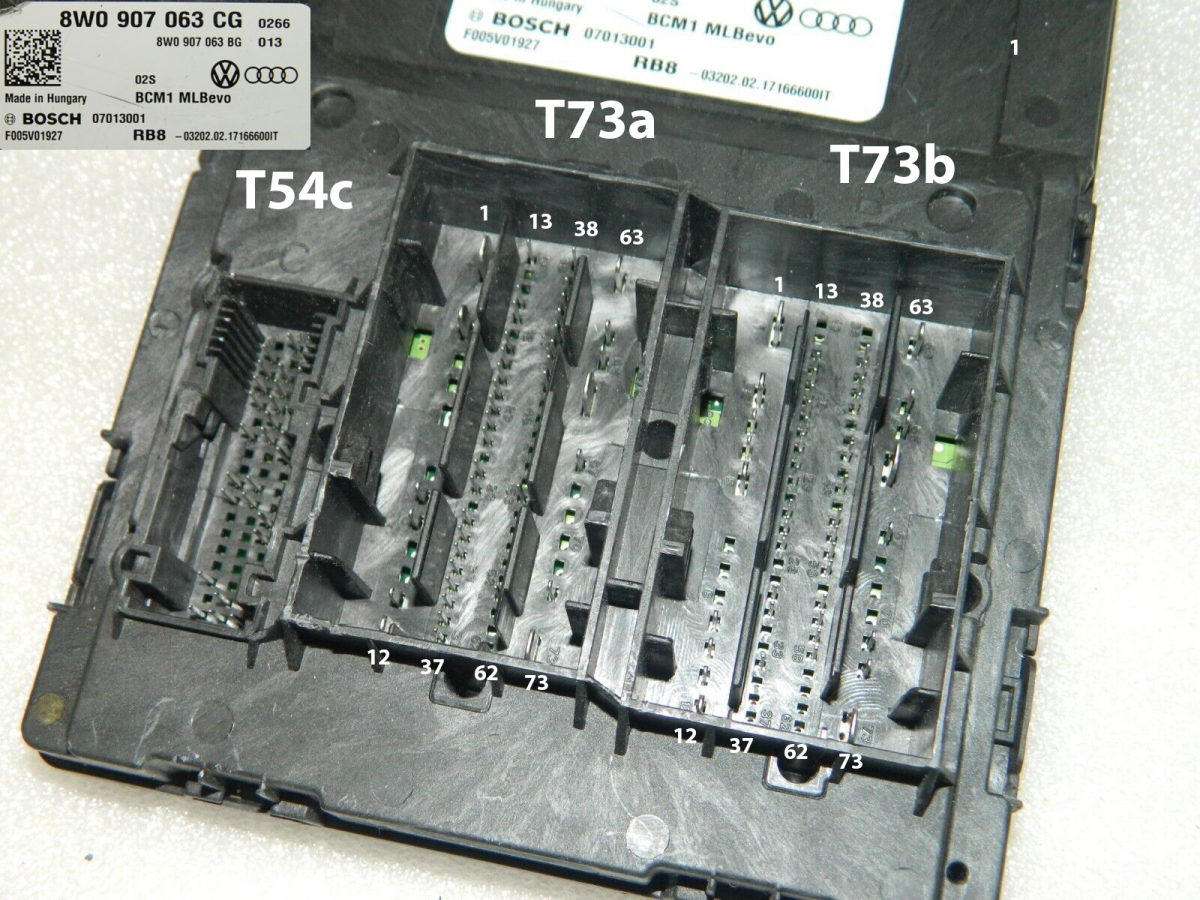
Pinout of the Highline BCM1 8W0 907 063 CG, with connectors T54c, T73a and T73b:
3.3 Wiring harness
The Kufatec harness comes with 4 additional cables with crimped pins:
| Cable | Connection suggested by Kufatec |
|---|---|
| CAN-HIGH | BCM1 T73a/43 (two cables crimped together) |
| CAN-LOW | BCM1 T73a/42 (two cables crimped together) |
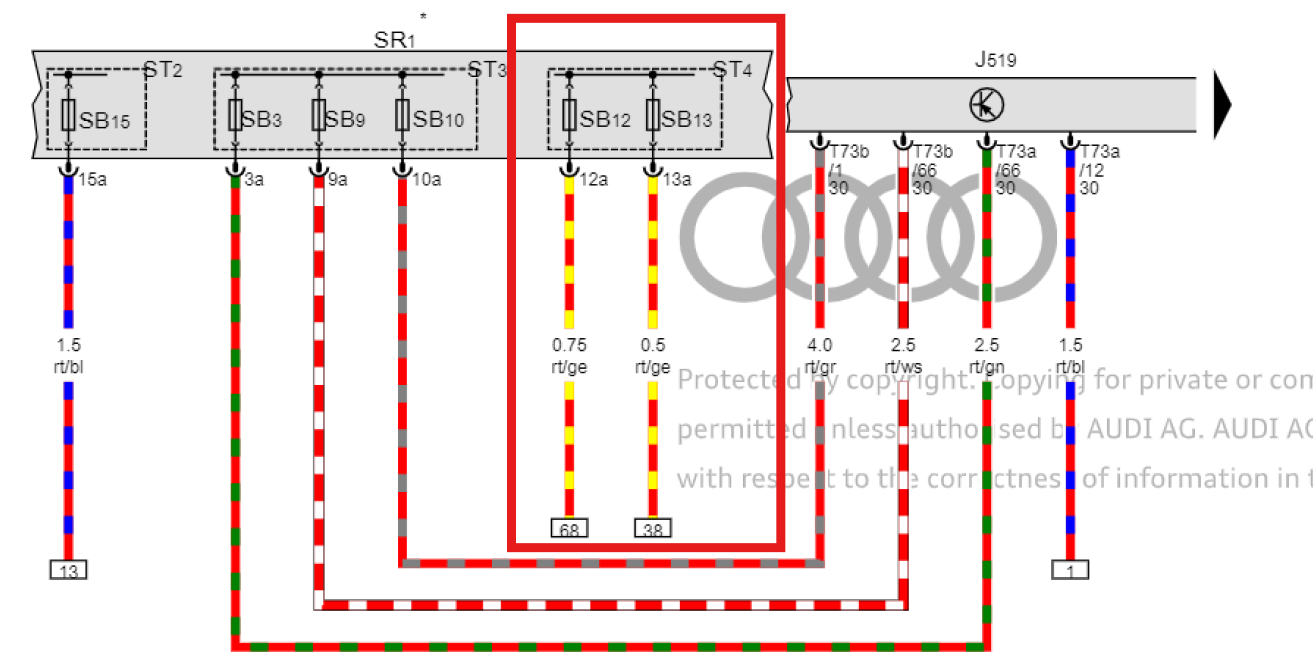
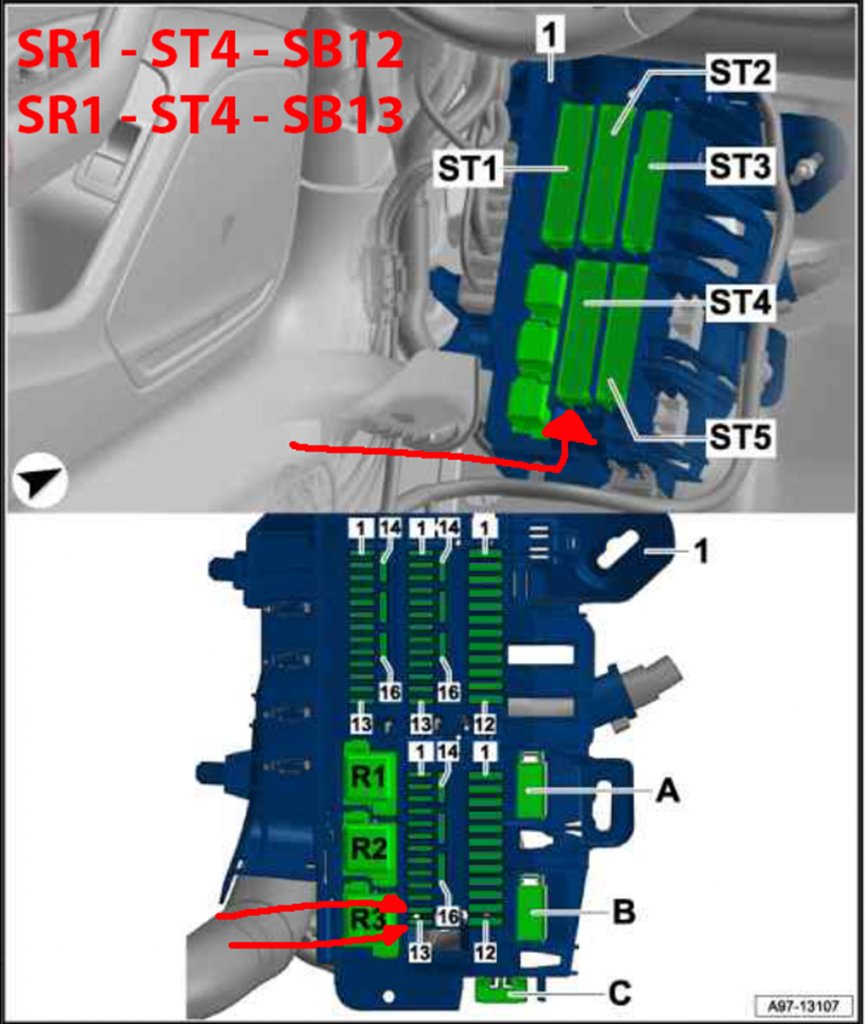
| Positive (ignition) | Fuse SB13 |
| Positive (ignition) | Fuse SB12 |
The single cable on the left of the photo is not needed: it runs from the A5 module (front camera) to the 09 module and is only used for Matrix LED headlights, not for Full LED.
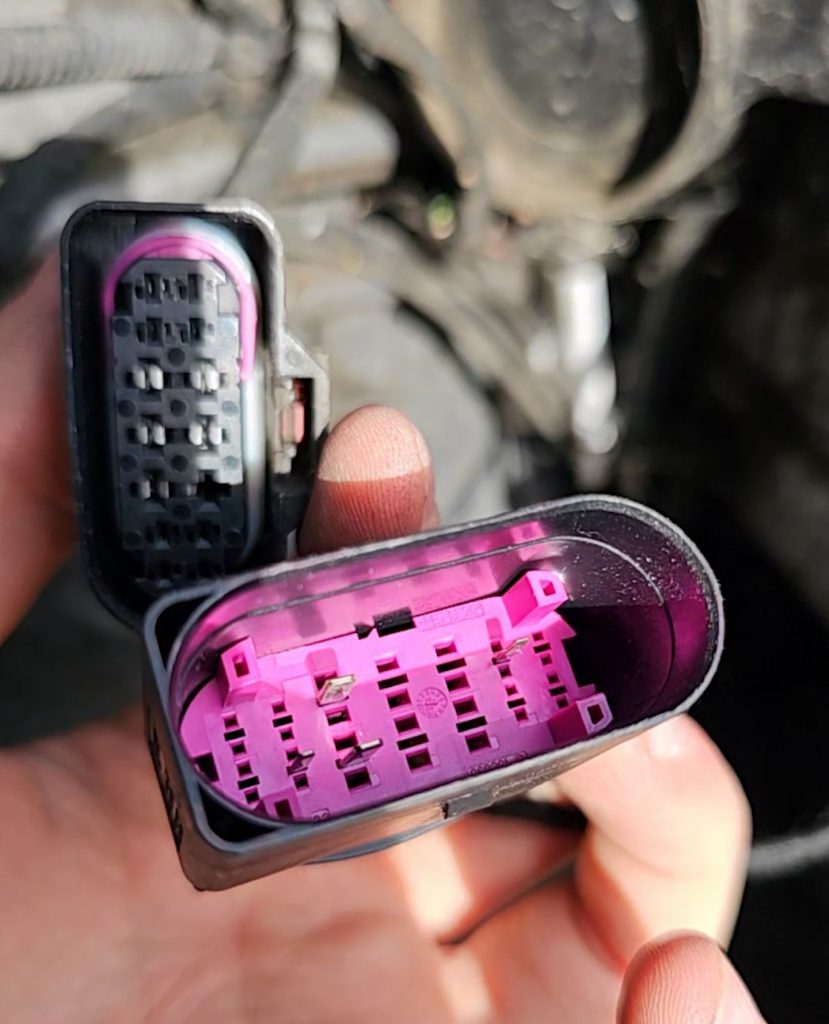
⚠️ Do not crimp the CAN cables together
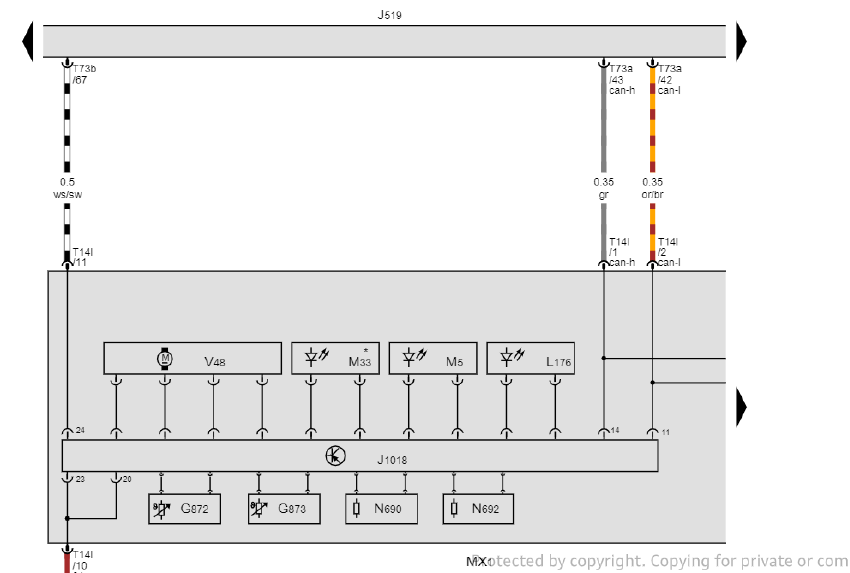
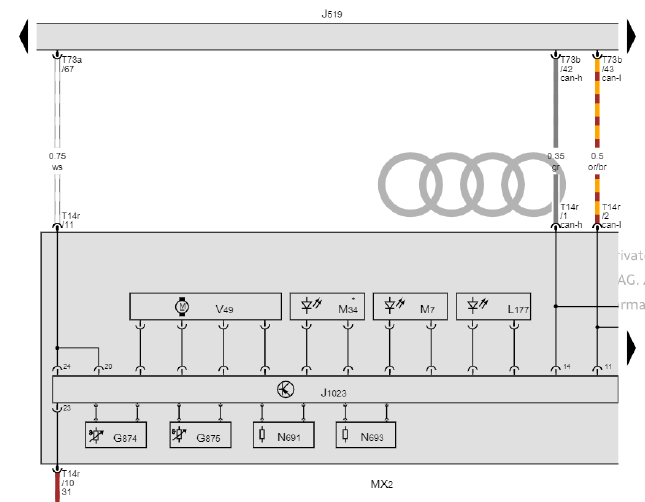
According to the wiring diagrams, the left and right headlight modules (MX1 and MX2) are connected to different pins of the BCM1, on two different connectors. Separate the CAN cables of the harness, identify which ones go to the left and to the right headlight and wire them as shown in the table below.
The correct wiring is:
| Headlight | Signal | BCM1 pin |
|---|---|---|
| MX1 – Left | CAN-HIGH | T73a/43 |
| CAN-LOW | T73a/42 | |
| MX2 – Right | CAN-HIGH | T73b/42 |
| CAN-LOW | T73b/43 |
The two positive cables go to fuses SB12 and SB13 of fuse holder ST4 in the SR1 fuse carrier:
CAN bus connection of the left headlight module (MX1) and of the right headlight module (MX2) to the BCM1 (J519):
3.4 Component Protection removal
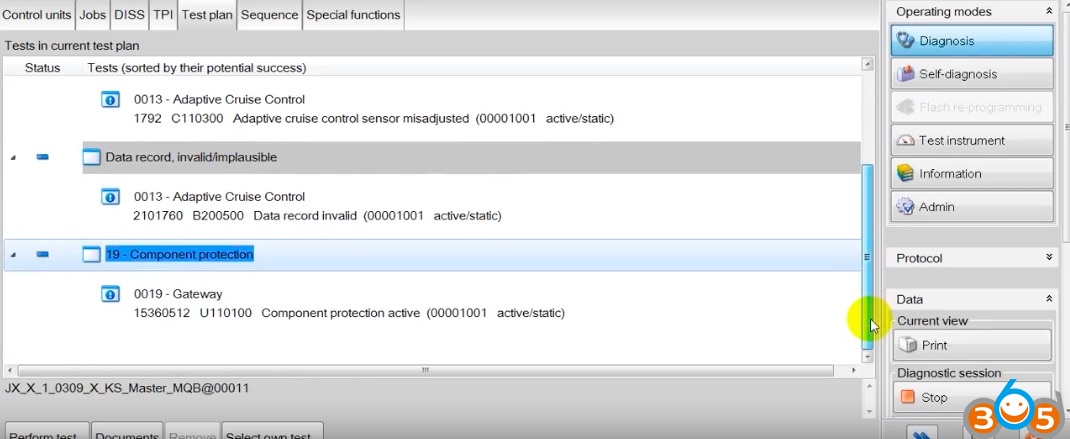
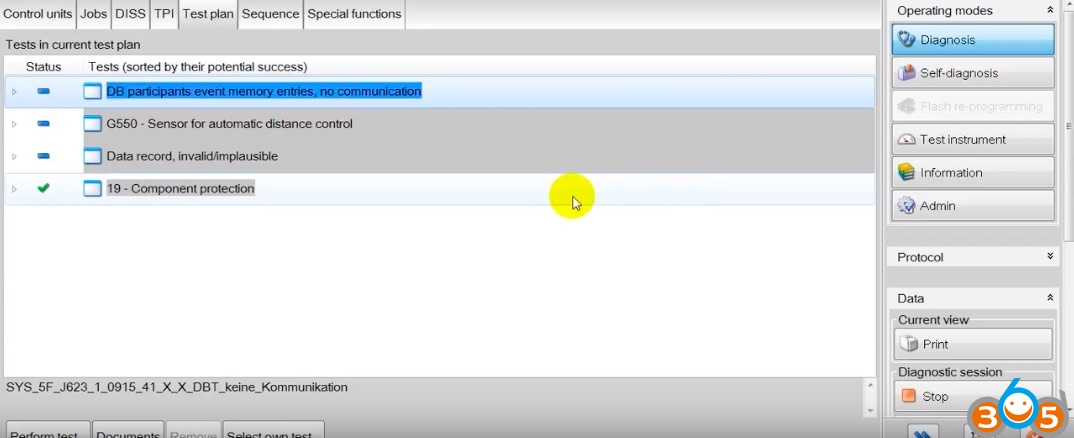
The new BCM1 comes from another car and is protected by Component Protection: to remove it you need ODIS with a VAS5054 / VAS6054 interface and a GEKO login. In the test plan, run the 19 – Component protection test and follow the online procedure.
ℹ️ Example screenshots
The two screenshots below are taken from the internet and show the procedure on another car. For the full sequence on the A4 B9 see the Side Assist retrofit guide.
3.5 Parametrize BCM1 and headlight modules
You need the original dataset for the new Highline BCM1, with the configuration that matches your car's options (see section 2). Upload it with ODIS:
- in ODIS select control module 09 (Central Electrics);
- on the right, open 010 – Data transfer;
- select the XML dataset file to upload;
- click Write data set.
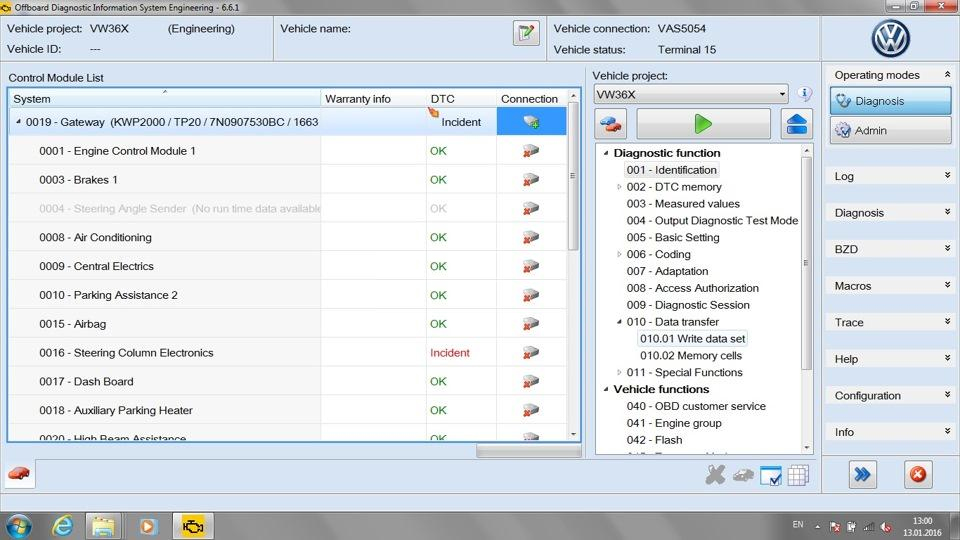
The modules to parametrize are BCM1 (09) and the headlight modules D6, D7, 29 and 39: if your dataset includes parameters for the headlight modules, upload them with the same procedure.
3.6 Restore the original BCM1 coding
Load the original coding and adaptations you backed up with VCP or VCDS (section 2) and restore them on the new BCM1, so that all the other functions of the car keep working as before.
💡 Final check
After restoring the coding, clear the fault memory of all modules, switch the ignition off and on again and check that no new faults appear on 09, 29, 39, D6 and D7. Then test low beam, high beam, DRL and turn signals on both sides.
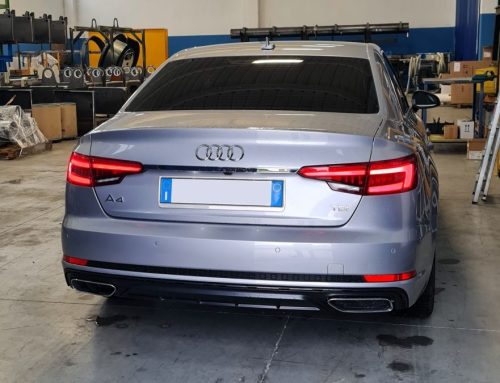
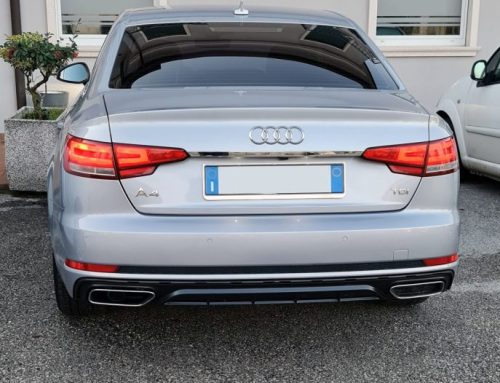
4. Final result
5. Summary
| Step | What to do |
|---|---|
| Preparation | Buy parts and dataset, back up BCM1 coding (section 2) |
| Bumper | Remove the front bumper and swap the headlights (section 3.1) |
| BCM1 | Replace 8W0 907 063 CC with 8W0 907 063 CG (section 3.2) |
| Wiring | Separate CAN cables: MX1 on T73a/43-42, MX2 on T73b/42-43; positives on SB12 and SB13 (section 3.3) |
| Component Protection | ODIS + VAS5054 / VAS6054 + GEKO (section 3.4) |
| Parametrization | ODIS > 09 > 010 Data transfer > Write data set (section 3.5) |
| Coding | Restore original BCM1 coding and adaptations (section 3.6) |


Scrivi un commento